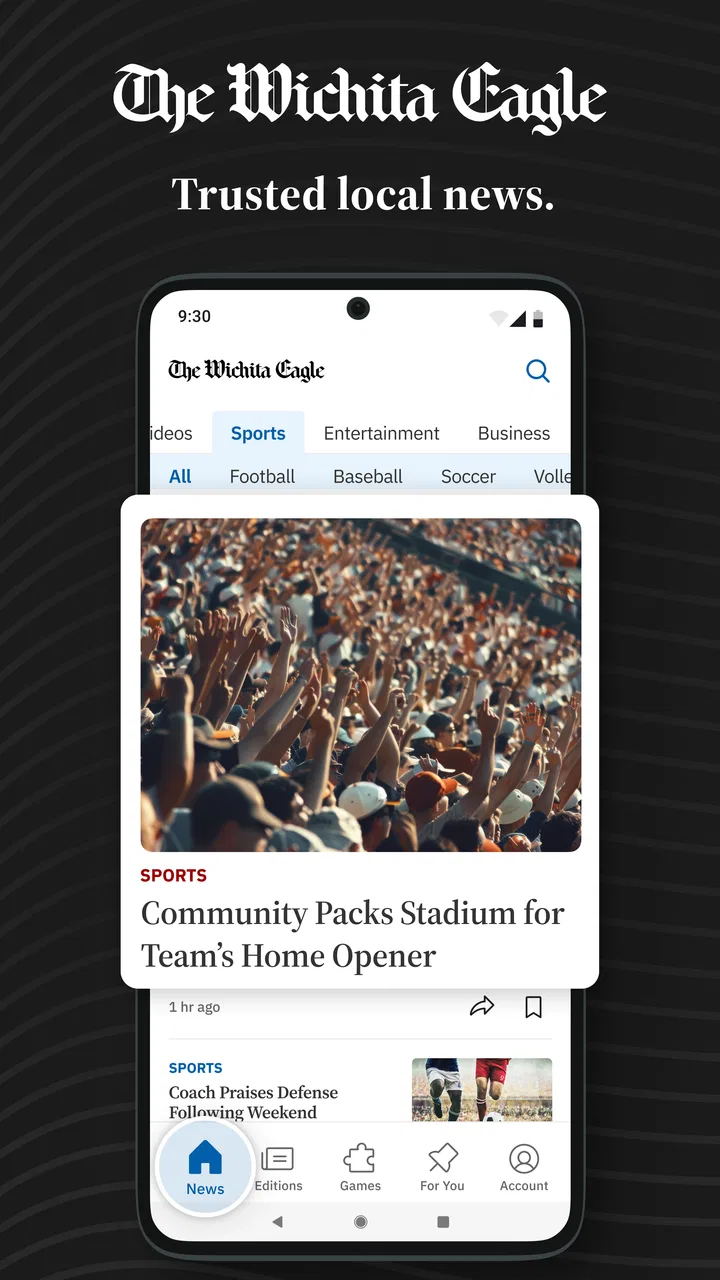
The Wichita Eagle | Local News
- 3.0
- Rating
- 10.00K
- Installs
- Free
- Price

 Analysis by App-foxy
I opened The Wichita Eagle with a simple need: find out what was happening in Kansas without sorting through a dozen unrelated sources. The app comes from McClatchy and sits in the news and magazine category, but its value is more local than that label suggests. It is aimed at readers who want Wichita-area reporting, politics, business coverage, weather, local sports, games, and breaking developments gathered in one place.
My first impression was practical rather than flashy. This is not an app I would install for entertainment or broad international coverage. I would use it when the question is local: Is severe weather moving toward my area? What is changing in the community? What is happening with local teams, schools, businesses, or public decisions? That focus is the main reason to consider it.
The app is free to install, carries an Everyone 10+ content rating, and supports Android devices running version 8.0 or later. Its current version is 11.1.16. The free entry point makes it easy to test, although in-app purchases range from $7.99 to $159.99 per item, so I would check the available access options carefully before committing to anything.
You May Also Like

 AccuWeather: Weather Radar
AccuWeather Review: A Quick, Clear Forecast for Everyday Decisions
For everyday plans, the best forecast is the one you can understand quickly. AccuWeather makes rain timing, radar, and local conditions easy to act on, with a few trade-offs.

 Hill Climb Racing
Why Hill Climb Racing Still Turns Crashes Into One More Run
A tiny car, a bumpy hill and one more upgrade: Hill Climb Racing keeps resurfacing because its simple chaos makes every near-miss feel personal.

 AliExpress - Shopping App
AliExpress Makes Global Shopping Feel Personal, but Shoppers Bear the Risk
AliExpress turns a global marketplace into a pocket-sized discovery engine. Its reach is useful, its shopping loop compelling, and its trade-offs easy to miss.

 Lords Mobile: Kingdom Wars
Lords Mobile Is a Kingdom-Building Routine, Not a Quick Match
A case-by-case verdict on the building, battles, device demands, and social commitments that make Lords Mobile rewarding for some players and exhausting for others.

 PDF Scanner app - TapScanner
TapScanner Makes Paperwork Easier to Capture, Check, and Share
TapScanner makes scanning with a phone feel less like a rescue operation and more like a dependable step in getting work done. Its capture tools are useful, though not flawless.

 Block Blast!
 Shows How Much a Puzzle Game Can Leave Out
A quiet grid game shows why puzzle players increasingly value instant clarity, repeatable skill and low-pressure play—and where the genre still needs to catch up.
More From Our News Desk
View All News


Following a local story from alert to understanding
I find that following a local story is most useful when I treat the first headline as a starting point, not the whole picture. In the next section, I’ll look at how the app’s focused coverage fits into quick checks and heavier reading, and what that means when I need timely information for an ordinary day.
Starting with a specific local need
The strongest way to use this app is to begin with a clear question instead of opening it aimlessly. For example, imagine leaving work while dark clouds are building and road conditions may change. I would open the app, look for the latest weather or breaking-news coverage, then move from the short update into the fuller report if the situation affects my route or plans.
That workflow matters because local news is most useful when it helps with a decision. A headline may tell me that something happened, but the surrounding details can explain where it happened, which neighborhoods are involved, and what I should watch next. The Wichita Eagle is designed around that kind of regional awareness rather than the endless stream of national headlines found in general news aggregators.
The same approach works for politics and business. If a local policy decision is being discussed, I can use the app as a starting point before forming an opinion. If a company, employer, or development project is in the news, the local angle is more relevant than a broad business story that never reaches Wichita. I would not treat one article as the whole picture, but I would use the app to identify the event and understand why people nearby are paying attention.
Moving from the headline to the useful detail
My preferred reading pattern is to scan first, select one or two stories, and then slow down. This prevents the app from becoming a noisy replacement for social media. Local news can be repetitive during a developing event, so I find it more useful to distinguish between a first alert, a meaningful update, and a story that adds context.
A practical tip is to read the location and timing details before reacting to an urgent headline. A Kansas-wide item may have little effect on Wichita, while a smaller local report may matter immediately if it concerns a road, school, neighborhood, or public service I use. The app’s local focus gives me the right starting point, but I still need to connect the story to my own circumstances.
For sports readers, the same workflow changes slightly. I would open the local sports section when I want a regional perspective rather than a national scoreboard. That is especially useful when following teams or events that receive limited attention in larger apps. The trade-off is that readers looking for every league, every national result, and extensive statistical tools may be better served by a dedicated sports application.
Using different sections without losing the thread
The app brings several subjects together, which is convenient but can also scatter attention. I would treat the sections as separate entry points: weather for immediate planning, breaking news for developing situations, politics for public decisions, business for local economic changes, and sports for community interest. Games add a lighter option when I want a brief break from reporting.
This separation suggests a useful habit: decide whether I am checking for action or reading for context. Weather and breaking news are usually action-oriented. Politics and business deserve more patience because the important part may be the background rather than the first sentence. Sports can be checked quickly, then revisited when a result or local storyline deserves more attention.
That distinction also helps answer whether this is a good everyday news app. For someone living in or closely connected to Wichita, it can become a local checkpoint. For someone who wants a complete national briefing, it is too narrow by design. I would pair it with a broader news source rather than expect it to cover every subject equally.
Handoffs between the app and real life
A useful news workflow does not end when I finish an article. The information has to move into a decision, a conversation, or another source of verification. Suppose I read about a weather-related disruption before driving home. The app gives me local awareness, but I would still check current road conditions or official emergency information before choosing a route. The handoff is important: a news report informs my plan, while an official service may provide the operational detail.
The same applies to politics and business. If an article raises a question about a public decision, I would use it to identify the issue and then look for the relevant official document or meeting information when precision matters. If a business story affects my work or finances, I would treat the report as context, not as personal financial advice. This is one of the most valuable ways to use a local news app responsibly.
Sharing is another natural handoff. A local story can be more useful when sent to a family member, neighbor, colleague, or sports fan who is directly affected. I would share the article rather than copying a headline out of context, because developing news can change quickly. The person receiving it can then decide whether the story applies to them.
What the workflow produces
When the app works well for me, the result is not simply “more news.” It is a clearer sense of what deserves attention in the Wichita area. I can move from a broad scan to a focused article, connect the information to a practical decision, and then hand it off to an official source or another person when needed.
That local concentration is the app’s clearest strength. A general aggregator may show national stories that attract the most clicks, while a social feed may mix rumor, opinion, advertising, and reporting. Here, the starting point is a publication centered on the region. That makes the app more useful for residents, commuters, local workers, students, families, and anyone who has a direct connection to Kansas communities.
It also gives the app a different rhythm from a newspaper-style website opened in a browser. A dedicated mobile app is easier to make part of a routine: a quick check in the morning, another look before commuting, and a longer reading session in the evening. I would not keep it open constantly, but I can see value in returning at specific times instead of refreshing throughout the day.
Where the experience becomes less comfortable
The average rating is 3.0 from around 296 ratings, with roughly 113 written reviews. I read that as a sign to keep expectations realistic. The app may meet the core need for local coverage, but the experience is not universally smooth or compelling. A middling rating does not tell me which issue matters most to every reader, yet it does suggest that convenience, presentation, access, or reliability may not feel equally strong for everyone.
The purchase structure is the biggest point I would examine before making the app part of my daily routine. Installing it is free, but individual in-app items range from $7.99 to $159.99. That is a substantial spread, and it means the free download should not be confused with unlimited access to every part of the reading experience. I would look closely at what is available without payment, what a purchase unlocks, and whether the arrangement matches how often I read local news.
This is also where the app differs from free aggregators. Aggregators are convenient for collecting headlines, but they often send readers elsewhere and may not provide a consistent local editorial focus. A dedicated local publication can offer a more coherent regional experience, but it may involve access decisions that a casual reader does not encounter in a basic headline app. If I only want occasional updates, I would be cautious about paying for a level of access I will not use.
Compared with a browser, the app offers a more direct reading route, but a browser can be better when I want to compare several sources in separate tabs or move quickly between official pages and news coverage. Compared with social media, the app should be a better first stop for organized local reporting, while social platforms may surface eyewitness discussion faster. I would use social posts as leads, not as a replacement for the app or for confirmation from authoritative sources.
Who should install it, and who should pass
I would recommend trying it to a Wichita-area resident who wants one focused place for local news, weather, politics, business, and sports. It also makes sense for someone who has moved away but still follows Kansas developments, or for a family member who needs regional context rather than a national news feed.
I would be more selective for readers who rarely follow local stories. If my news habits are mostly national, international, technology, or specialized sports coverage, this app may feel narrow. I would also hesitate if I need a fully free reading experience and do not want to evaluate in-app purchase options. In that situation, a public broadcaster, official alert service, or broader free news source may be a better fit, depending on the specific need.
Parents and younger readers should also remember the Everyone 10+ rating. That makes the app broadly accessible, but local news can still include upsetting events, crime, disasters, and difficult public issues. I would not assume that a general age rating means every article is suitable for every child without guidance.
Three habits that make the app more useful
First, I would avoid judging a developing story from its earliest headline. Local events often unfold in stages, and the useful update may arrive later. Checking the story again after a meaningful interval can be more informative than repeatedly refreshing it every few minutes.
Second, I would separate “what happened” from “what I should do.” The app can help me understand an event, but weather decisions, travel changes, emergency instructions, and financial choices may require a direct handoff to official or specialized sources. That small discipline prevents a news article from carrying more responsibility than it was meant to carry.
Third, I would build a short reading route instead of consuming everything. I might begin with breaking news, check weather, choose one local politics or business story, and finish with sports. This keeps the app focused and reduces the temptation to treat every headline as equally urgent. It is a simple workflow, but it turns a broad local feed into something I can actually use.
My final assessment after using the workflow
The Wichita Eagle | Local News is best understood as a regional news companion, not an all-purpose information center. Its purpose is clear: help readers keep up with Kansas and Wichita-area developments across several familiar sections. The strongest experience comes when I start with a real local question, read beyond the headline, and use the result to guide a practical next step.
McClatchy’s app has a convincing reason to exist for people who care about this region. The local emphasis gives it an advantage over generic aggregators, while the combination of weather, politics, business, sports, breaking news, and games makes it more flexible than a single-topic service. At the same time, the average rating and the range of in-app purchase prices remind me to test the experience carefully rather than assume the free installation tells the whole story.
I would install it if Wichita-area coverage is part of my everyday life and I am comfortable reviewing the access options before settling into a routine. I would skip it if I need broad national coverage, specialized sports tools, or a guaranteed free alternative. For the right reader, though, it can turn scattered local developments into a manageable daily workflow—and that is a more useful outcome than simply having another stream of headlines.
FAQs for The Wichita Eagle | Local News
01What is The Wichita Eagle | Local News app?
The Wichita Eagle | Local News app is a mobile news platform focused on Wichita, Kansas, and surrounding communities. It provides access to local reporting, breaking news, politics, business, sports, entertainment, weather, and other regional updates. The app is designed for readers who want to follow important developments in the area from an Android or iOS device rather than relying only on the newspaper’s website.
02Is The Wichita Eagle app free to download and use?
The app can generally be downloaded at no charge, but access to all articles and features may depend on your subscription status. Some stories or a limited number of articles may be available to non-subscribers, while unlimited reading, premium journalism, eEdition access, or additional digital features may require a paid subscription. Check the current terms in the app store or within the application before subscribing.
03What kind of news and content can I read in the app?
The Wichita Eagle app covers a broad range of local and regional topics, including breaking news, crime, education, government, local businesses, Wichita sports, high school athletics, entertainment, opinion, and community events. Coverage can change throughout the day as new stories are published. Readers may also find photo galleries, videos, newsletters, alerts, and other content connected with major local stories.
04Can I receive breaking-news notifications from The Wichita Eagle?
Yes, the app may offer push notifications for breaking news, major local developments, severe weather, sports results, and other important updates. Notification categories can vary depending on the version of the app and your device settings. After installation, review the notification preferences so you can choose which alerts to receive. Keep in mind that frequent alerts may use battery power and mobile data.
05Does The Wichita Eagle app work offline or require an internet connection?
An internet connection is normally needed to load the latest articles, images, videos, advertisements, and notifications. Depending on the available features and your subscription, some content such as an eEdition or previously loaded pages may be accessible temporarily without a connection. Offline availability is not guaranteed for every article, so users traveling or dealing with limited service should download or open important content in advance.
Pros
- Covers Wichita and surrounding communities with strong local focus.
- Offers breaking news alerts for important regional developments.
- Includes local sports
- politics
- business
- and community reporting.
- Provides access to investigative and in-depth feature stories.
- Clean mobile layout makes browsing articles and sections straightforward.
Cons
- Many premium articles may require a paid subscription to read fully.
- Advertising can interrupt reading and reduce available screen space.
- Some content may load slowly on weaker mobile connections.
- Push notifications can feel frequent unless carefully customized.
- Coverage is primarily regional
- with limited value for readers elsewhere.

The Wichita Eagle | Local News
Gallery